
Connection Setup
Resetting the LinkedIn connection
If a standard re-authentication fails, you may need to disconnect Feedlio from your LinkedIn account settings to ensure a fresh, stable connection.
Step-by-Step: Removing Feedlio from LinkedIn
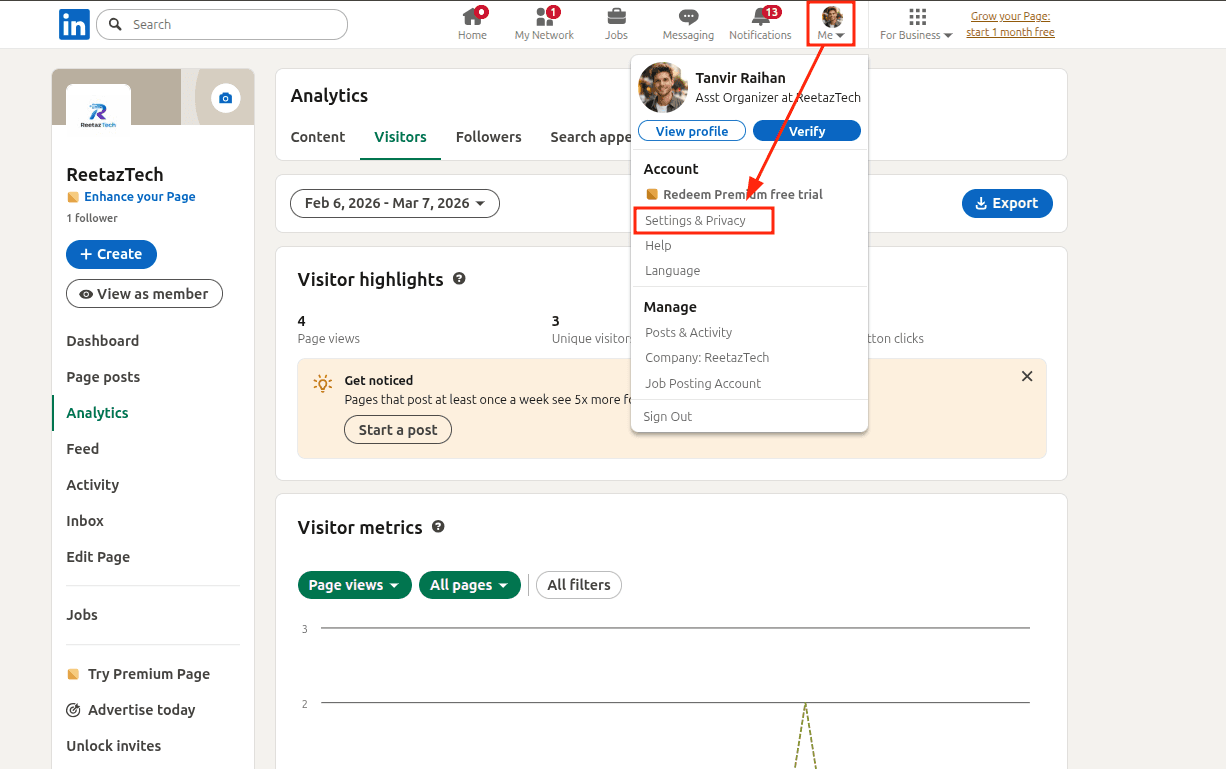
- Open Settings: Log in to your LinkedIn account on a desktop browser. Click the "Me" icon (your profile picture) at the top of the page and select Settings & Privacy.
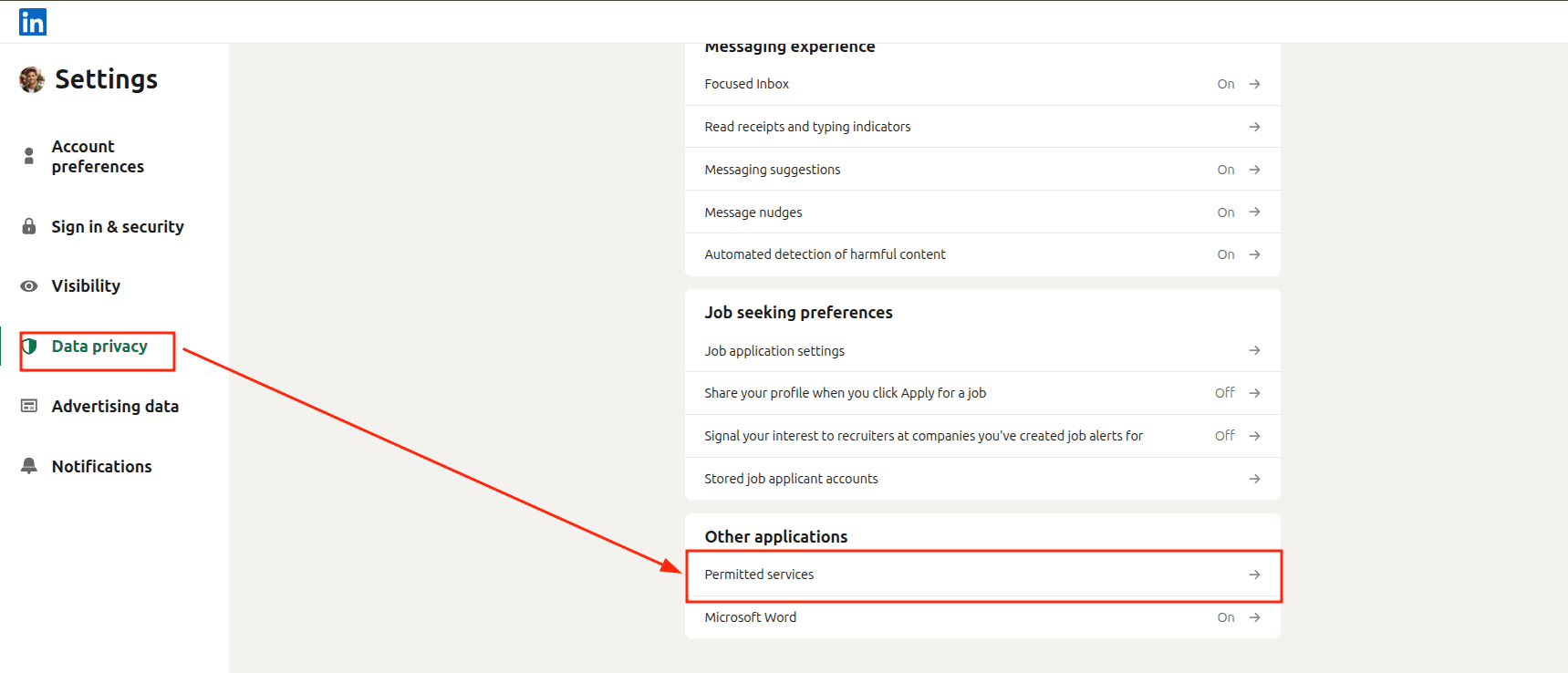
- Navigate to Data Privacy: In the left-hand sidebar, click on Data privacy.
- Manage Permitted Services: Scroll down to the section titled "Other applications" and click on Permitted services.
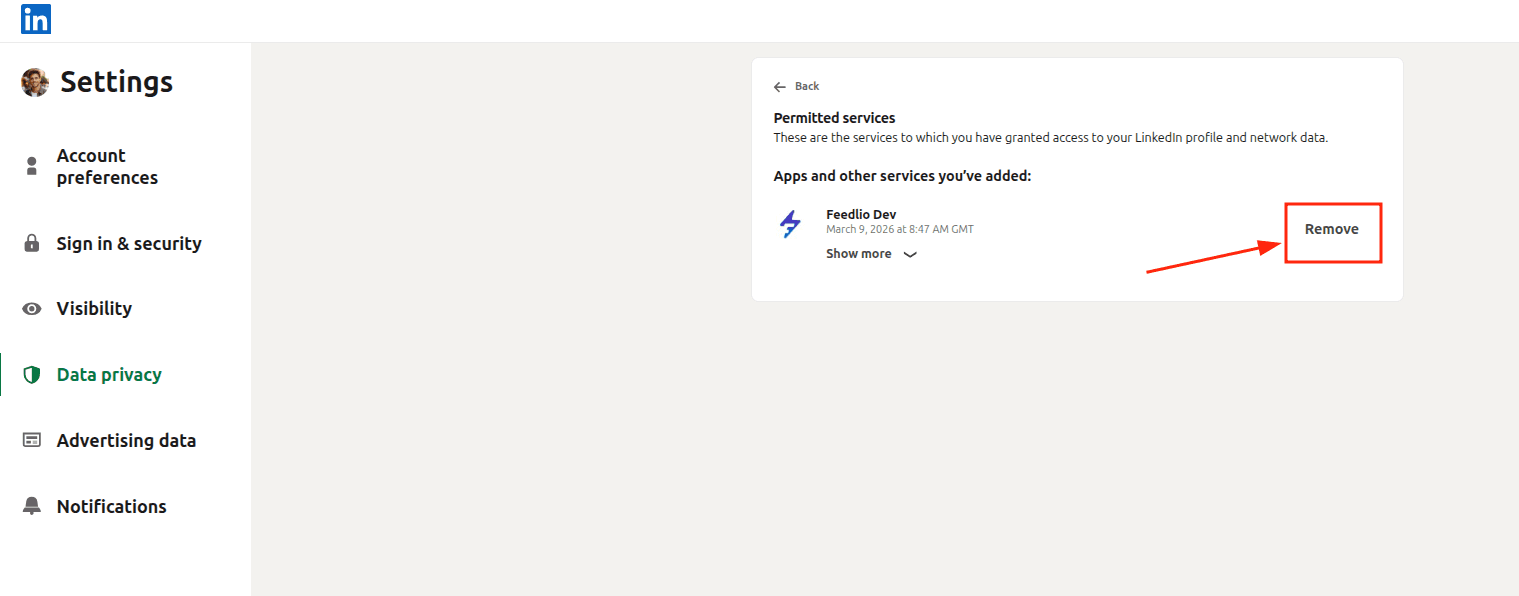
- Revoke Access: * Find Feedlio in the list of applications.
- Click the Remove button next to the app name.
- Confirm the Removal: A confirmation prompt may appear; confirm that you want to disconnect the service.