Connection Setup
Setting up LinkedIn on Feedlio
To unlock Feedlio’s full publishing suite, please connect your LinkedIn account. You can connect your personal LinkedIn profile or any LinkedIn Company Pages you manage to streamline your professional content strategy.
Steps to Connect LinkedIn to Feedlio
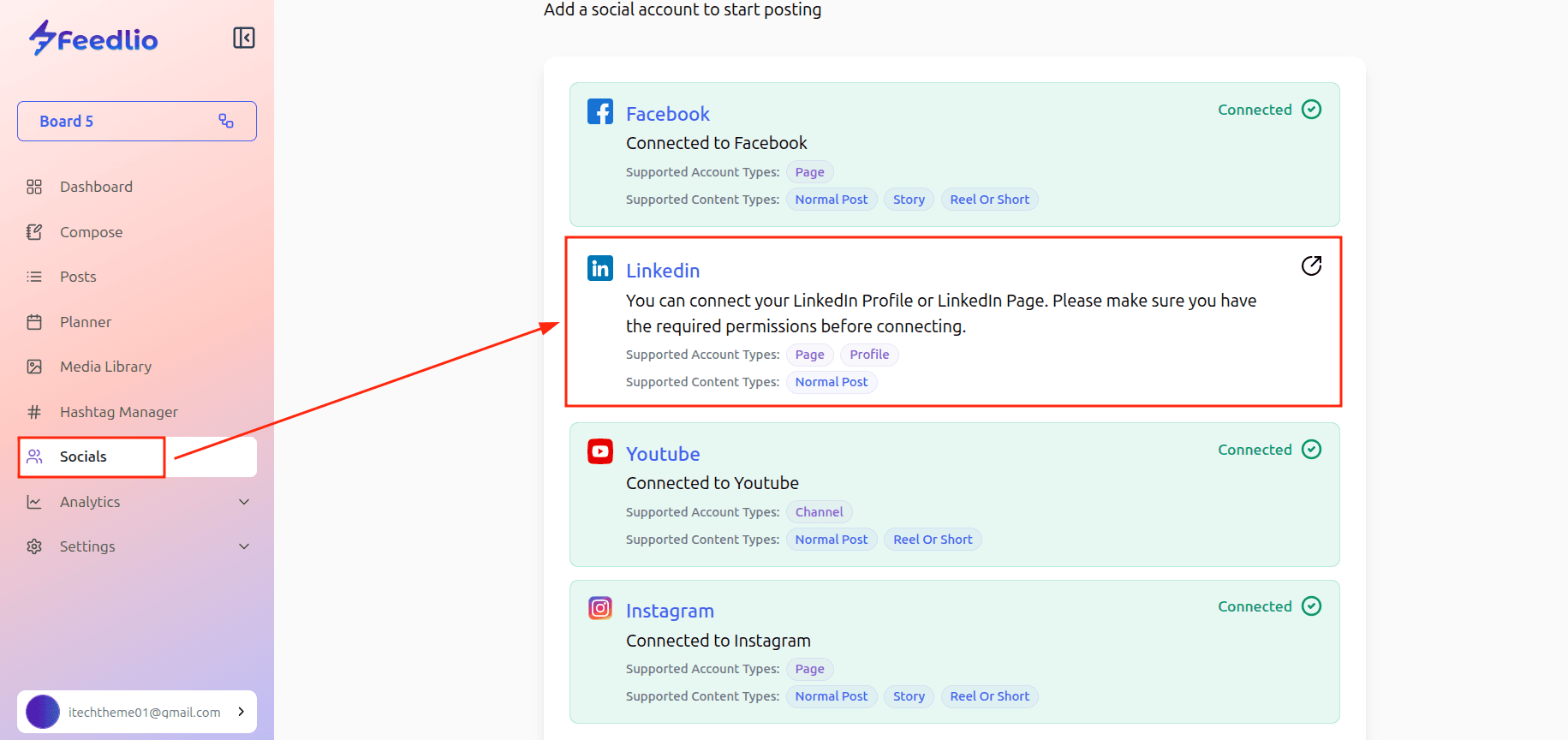
- Navigate to Socials: Find and click on the Socials menu in your left-hand sidebar.
- Add New Account: Click the + Add Social button.
- Select LinkedIn: Choose LinkedIn from the list of available platforms.
- Authorize via LinkedIn: A window will pop up redirecting you to LinkedIn. Sign in with the credentials (email and password) of the account that manages your profile or company page.
- Grant Permissions: LinkedIn will ask you to authorize Feedlio to manage your content. Click Allow or Accept to proceed.
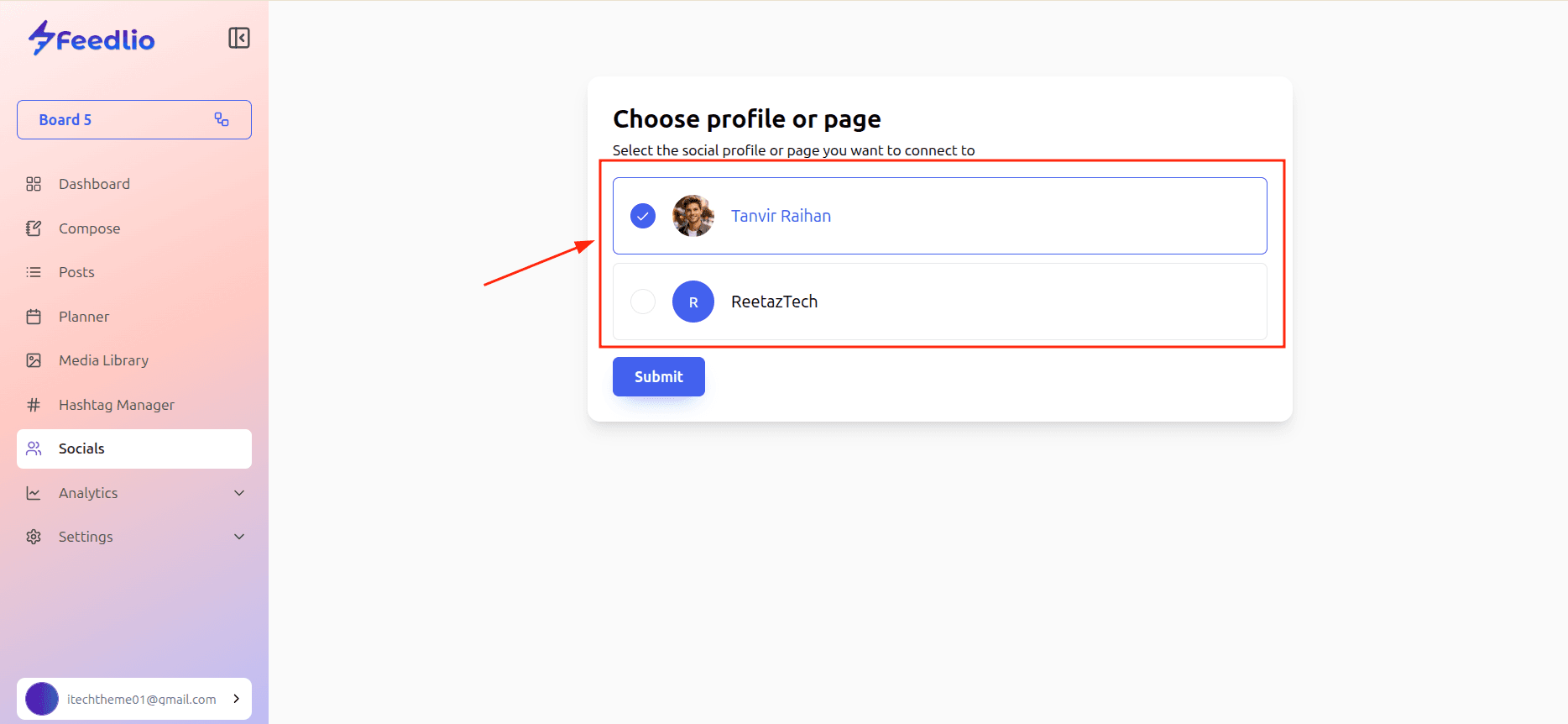
- Select Your Pages/Profile: Once redirected back to Feedlio, you will see a list of all personal profiles and company pages associated with your account. Select the ones you want to connect and click Save or Confirm.