
logo

Features

Scheduling

Plan and auto publish your posts.

Feedlio AI

Generate content using smart AI.

Socials

Facebook

Manage Facebook pages and posts.

LinkedIn

Schedule and grow LinkedIn content.

Instagram

Visual content publishing platform.

YouTube

Upload and manage videos easily.

TikTok

Short-form video publishing tools.

Resources

User Guides

Step-by-step tutorials and help docs.

PricingContact
Log In
Introduction

How it Works

Social Integrations

Account & Billing

Connection Setup
Resetting the LinkedIn connection

If a standard re-authentication fails, you may need to disconnect Feedlio from your LinkedIn account settings to ensure a fresh, stable connection.

Step-by-Step: Removing Feedlio from LinkedIn

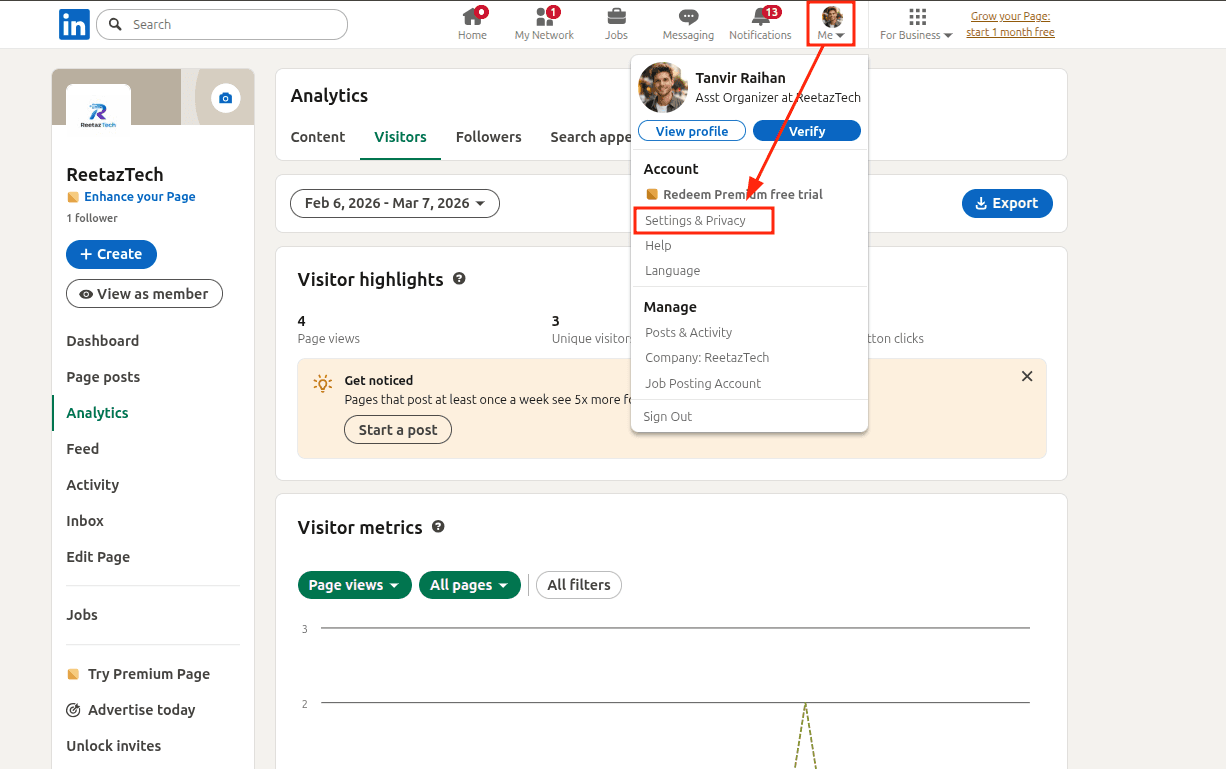
  • Open Settings: Log in to your LinkedIn account on a desktop browser. Click the "Me" icon (your profile picture) at the top of the page and select Settings & Privacy.
    docs
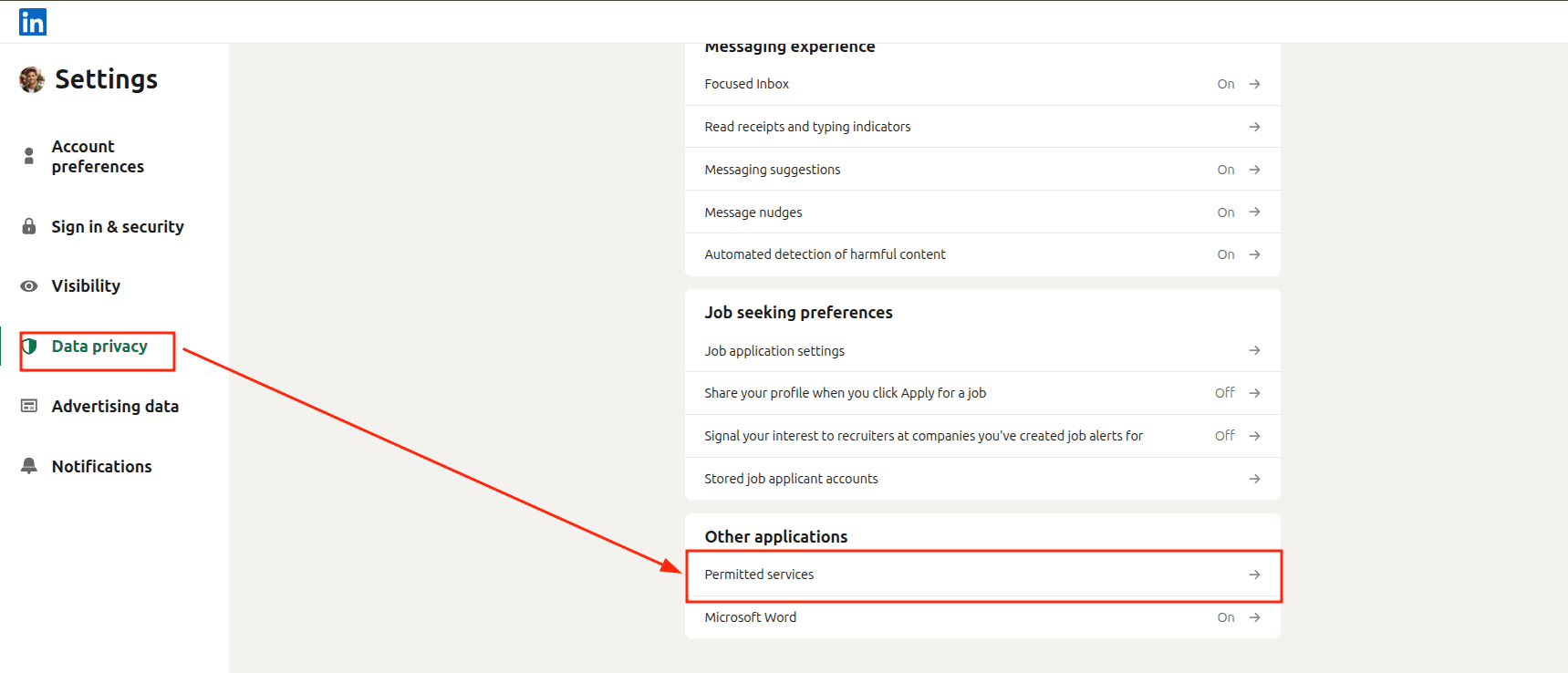
  • Navigate to Data Privacy: In the left-hand sidebar, click on Data privacy.
  • Manage Permitted Services: Scroll down to the section titled "Other applications" and click on Permitted services.
    docs
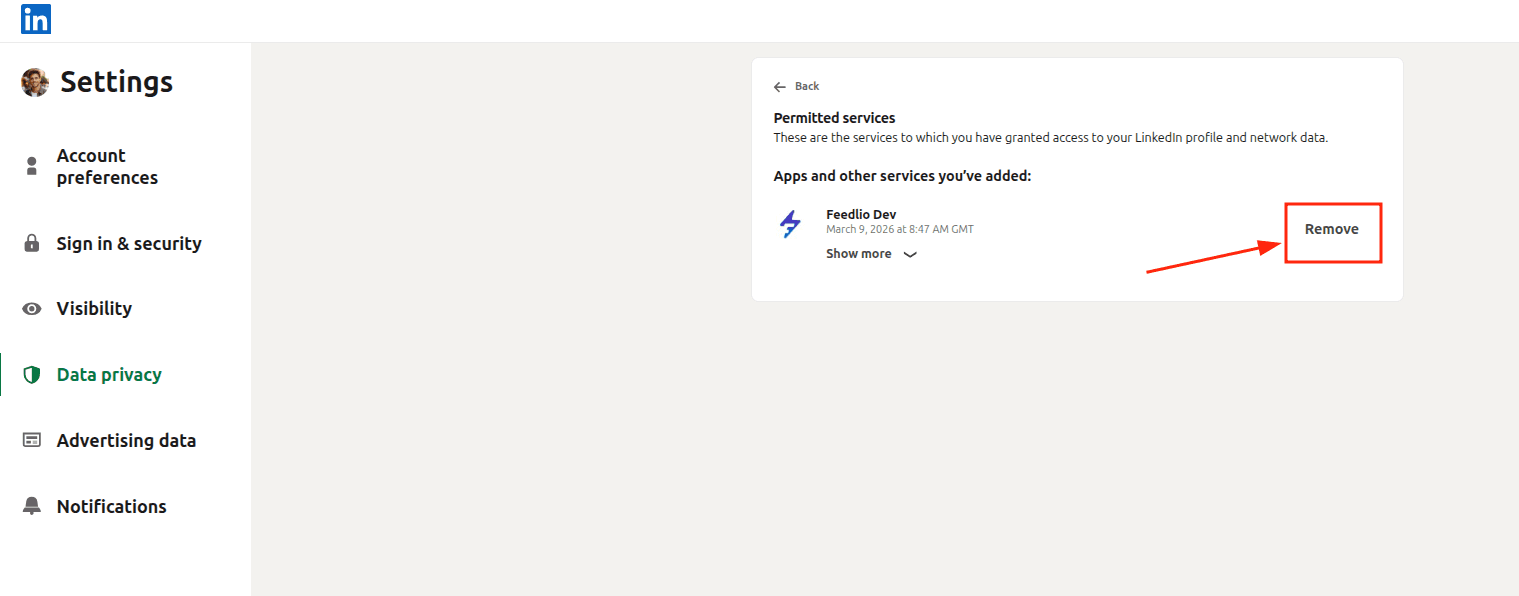
  • Revoke Access: * Find Feedlio in the list of applications.
    • Click the Remove button next to the app name.
    docs
  • Confirm the Removal: A confirmation prompt may appear; confirm that you want to disconnect the service.

momentum for your social media presence. Or skip ahead and try our paid plan

Social Link
Products
Company
  • Privay Policy
  • Terms
Social
Resources
Copyright © 2024, All Rights Reserved By Feedlio
Terms of Service | Privacy Policy
Logo
instagram
linkedin
youtube
facebook
Scheduling
Feedlio AI
Facebook
Instagram
LinkedIn
YouTube
TikTok
Help Center