
logo

Features

Scheduling

Plan and auto publish your posts.

Feedlio AI

Generate content using smart AI.

Socials

Facebook

Manage Facebook pages and posts.

LinkedIn

Schedule and grow LinkedIn content.

Instagram

Visual content publishing platform.

YouTube

Upload and manage videos easily.

TikTok

Short-form video publishing tools.

Resources

User Guides

Step-by-step tutorials and help docs.

PricingContact
Log In
Introduction

How it Works

Social Integrations

Account & Billing

Connection Setup
Resetting the YouTube connection

In some cases, re-authenticating within Feedlio is not sufficient to resolve connection issues. To perform a complete reset, you must disconnect Feedlio directly from your Google Account settings.

Step-by-Step: Removing Feedlio from YouTube

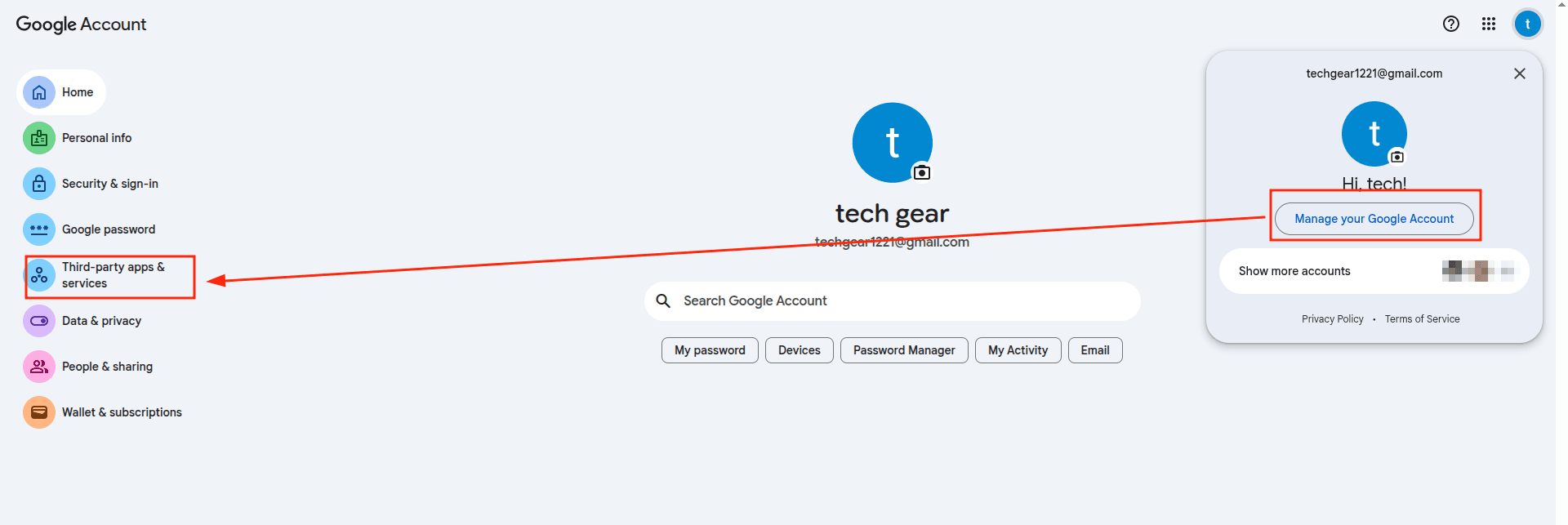
  • Access Google Security: Go to your Google Account Connections page. Ensure you are signed into the same Google account that owns your YouTube channel.
    docs
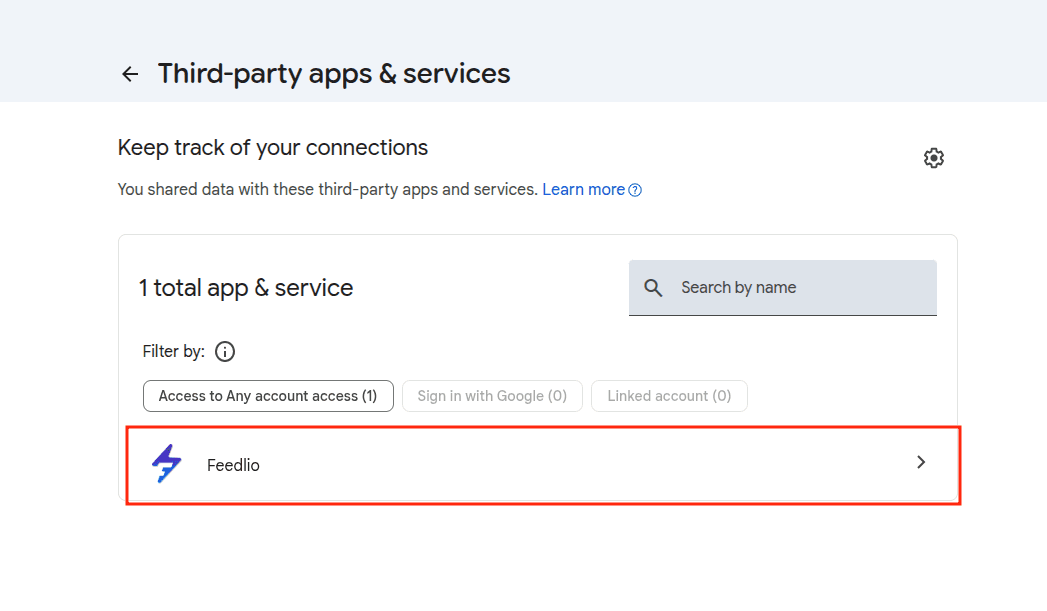
  • Find Feedlio: Scroll through the list of "Third-party apps & services" until you find Feedlio.
    docs
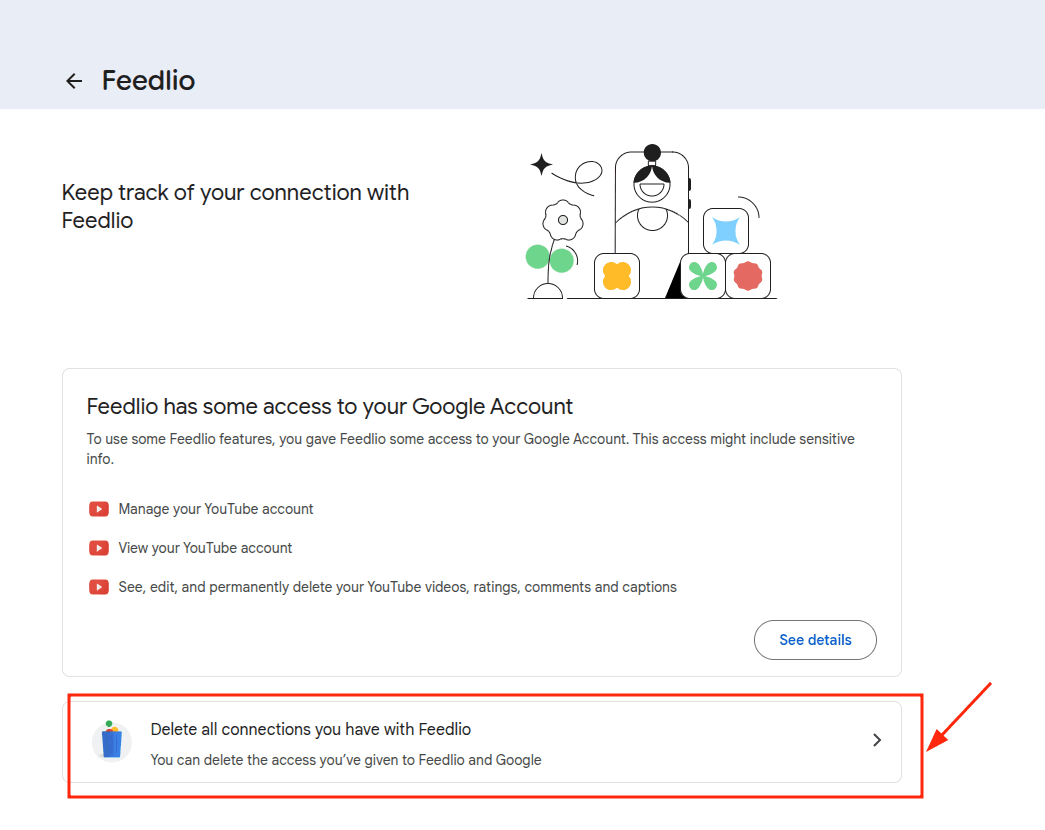
  • Delete All Connections: Click on the Feedlio entry to expand the details, then click the "Delete all connections you have with Feedlio"button.
    docs
  • Confirm: A pop-up will appear warning you that Feedlio will no longer have access to your account. Click Confirm.

momentum for your social media presence. Or skip ahead and try our paid plan

Social Link
Products
Company
  • Privay Policy
  • Terms
Social
Resources
Copyright © 2024, All Rights Reserved By Feedlio
Terms of Service | Privacy Policy
Logo
instagram
linkedin
youtube
facebook
Scheduling
Feedlio AI
Facebook
Instagram
LinkedIn
YouTube
TikTok
Help Center