
logo

Features

Scheduling

Plan and auto publish your posts.

Feedlio AI

Generate content using smart AI.

Socials

Facebook

Manage Facebook pages and posts.

LinkedIn

Schedule and grow LinkedIn content.

Instagram

Visual content publishing platform.

YouTube

Upload and manage videos easily.

TikTok

Short-form video publishing tools.

Resources

User Guides

Step-by-step tutorials and help docs.

PricingContact
Log In
Introduction

How it Works

Social Integrations

Account & Billing

Workspace Management
How to edit a Workspace

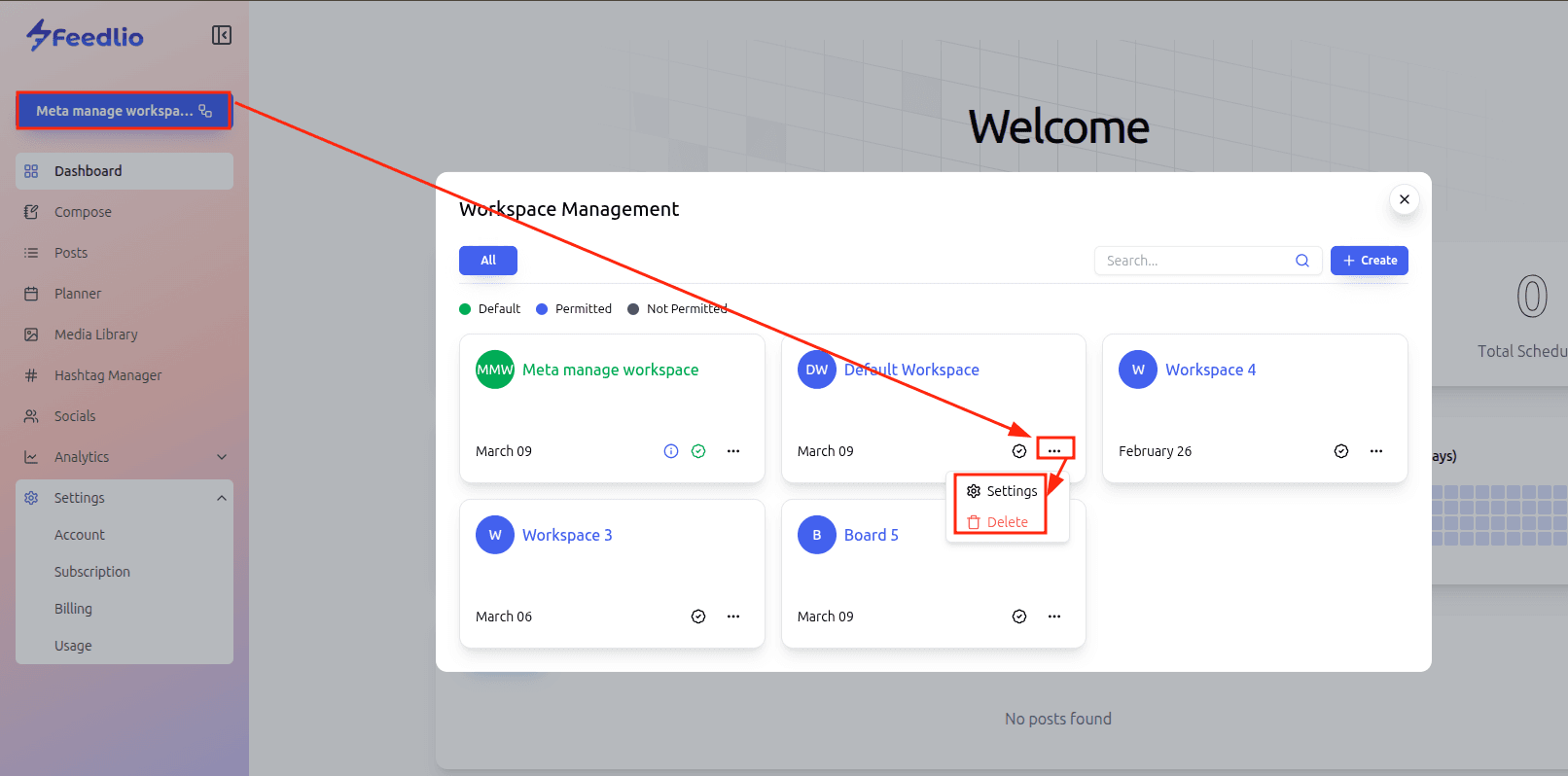
To edit or delete an existing workspace in Feedlio, follow these steps:

  • Click the workspace button in the top-left corner of the sidebar menu to open the Workspace Management pop-up.
  • Locate the specific workspace card you wish to modify.
  • Click the "..." (three dots) icon on that card to reveal the options menu.
  • From this menu, you can select Settings to edit the workspace name, description, or timezone, or choose the option to Delete the workspace entirely.
docs

momentum for your social media presence. Or skip ahead and try our paid plan

Social Link
Products
Company
  • Privay Policy
  • Terms
Social
Resources
Copyright © 2024, All Rights Reserved By Feedlio
Terms of Service | Privacy Policy
Logo
instagram
linkedin
youtube
facebook
Scheduling
Feedlio AI
Facebook
Instagram
LinkedIn
YouTube
TikTok
Help Center